Small product team
A team wants to explain a new item without implying that a fictional presenter has used it for weeks.
Build a demonstration around visible features rather than an invented personal testimonial.
lightreel aiCreator-style planning
A convincing creator-style video needs more than a product name and a cheerful script. The hard part is choosing a believable scenario, showing only what the product can support, and making the intended audience clear before production starts.

AI UGC can mean a product demonstration, a first-impression story, or a direct-to-camera explanation. Decide which format fits the claim before drafting the hook.
These teams need different scripts, but all benefit from defining the viewer, the evidence, and the intended next action first.
A team wants to explain a new item without implying that a fictional presenter has used it for weeks.
Build a demonstration around visible features rather than an invented personal testimonial.
lightreel aiAn editor needs several opening angles for one approved product message.
Keep the underlying claim fixed while testing different questions, settings, and opening lines.
how to use lightreel ai ugcA client says they want UGC but has not decided whether that means a real customer's story or a staged explainer.
Clarify the format before casting, scripting, or presenting a concept as a testimonial.
lightreel vs ai ugcA reviewer needs to assess a creator-style concept before anyone publishes it.
Check the script against approved claims, likeness permissions, and the planned disclosure.
lightreel reviewsUse one of these approaches to turn an AI UGC idea into a brief that someone else can review.
Write down one observable product feature. Draft a short opening question, a scene that shows the feature, and a closing line that avoids unsupported results. This works when the product itself can carry the story.
Give the presenter a plausible reason to describe what is visible, but do not write a fabricated history of personal use. Distinguish observations from opinions and flag any line that would need proof.
Keep the approved product facts unchanged. Change only the hook, audience problem, or scene framing, then compare whether each version still sounds clear without becoming a disguised endorsement.
A brief can organize AI UGC work; it cannot establish that a generated scene, voice, or claim is authorized.
A polished scene does not verify that a product delivers the result described in a script.
Workaround
Match every performance statement to current, approved evidence before publication.
A recognizable face or voice may raise consent and usage-rights questions, whether the asset was recorded or synthesized.
Workaround
Use appropriately licensed assets and document the scope of permission.
Disclosure and advertising requirements vary by placement and jurisdiction; a draft alone cannot determine compliance.
Workaround
Have the final video and caption reviewed against the rules for each intended channel.
Picture a short skincare explainer: a presenter names the product, shows its packaging, and describes a visible texture without promising a personal result.
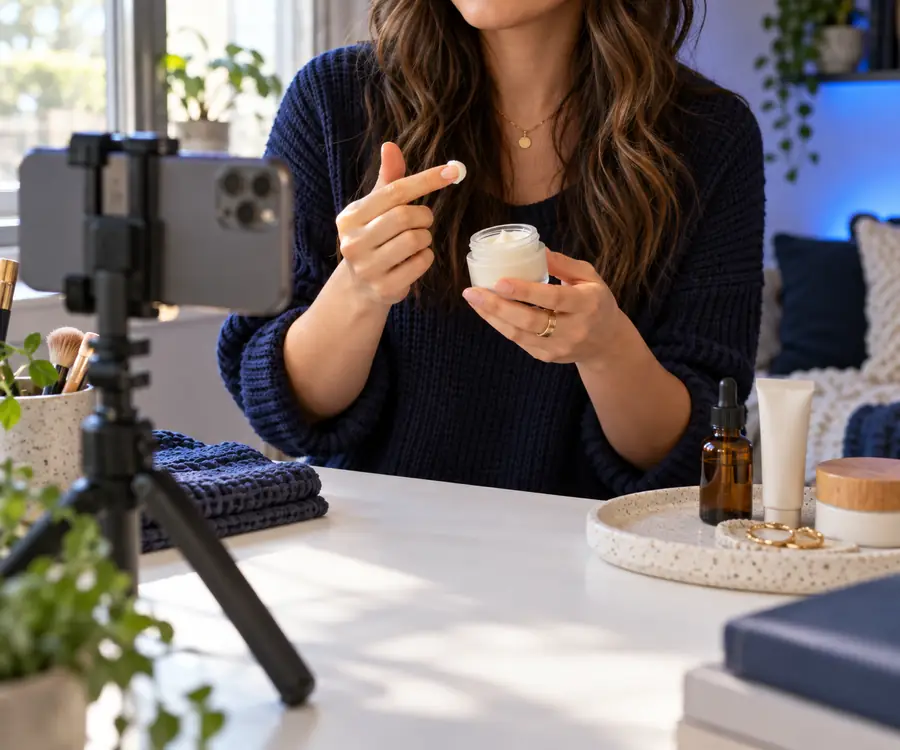 Scene reference
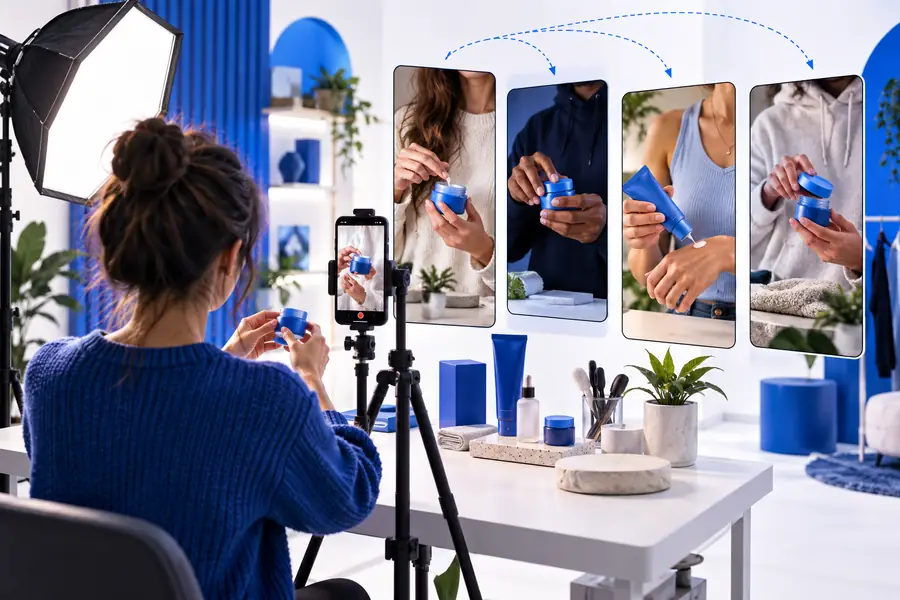 Video concept
Creator-style presentation changes how a message feels, not the standards its claims must meet. Use this comparison to inspect an AI UGC concept before distribution.
Presenter identity
Recorded creator footage
Confirm the real creator's identity and agreement.
AI-assisted creator-style concept
Confirm the rights and representation of any depicted person.
Personal experience
Recorded creator footage
Check that experience statements reflect the creator's actual account.
AI-assisted creator-style concept
Do not imply that a fictional presenter personally used the product.
Product claims
Recorded creator footage
Check spoken and on-screen claims against approved evidence.
AI-assisted creator-style concept
Apply the same evidence check to the script and visuals.
Visual demonstration
Recorded creator footage
Check that edits do not misrepresent what was filmed.
AI-assisted creator-style concept
Label illustrative scenes internally so reviewers do not mistake them for footage.
Permissions
Recorded creator footage
Record talent, music, and location permissions.
AI-assisted creator-style concept
Check likeness, voice, asset, and other applicable usage rights.
Disclosure
Recorded creator footage
Review sponsorship disclosures where applicable.
AI-assisted creator-style concept
Review sponsorship and synthetic-media disclosures where applicable.
Use lightreel for ai ugc as a starting point for a specific, checkable brief: one audience, one supported message, a defined scene, and a reviewer who can assess the finished asset. The destination may have its own access requirements and capabilities.
Explore LightreelAI UGC commonly describes AI-assisted content presented in a casual, creator-like style. In a brief, specify the audience, scene, product facts, and whether the presenter is real, synthetic, or illustrative; the label alone does not settle those details.
Only make a personal-use statement when it truthfully represents an actual person's experience and the necessary permissions are in place. For an illustrative AI UGC scene, describe observable product details instead of inventing a testimonial.
Prepare the approved product claims, the intended audience, a short scene outline, and any assets you have permission to use. Keep a separate list of statements that need evidence or legal review.
Requirements depend on the platform, location, sponsorship arrangement, and how synthetic media is portrayed. Review the final video and its caption against the rules that apply to each placement rather than assuming one disclosure covers every use.